Demo

Run the pipelines on your own images.

Three of the pipelines behind Simvera are open for evaluation. Request access, receive an access token by email, then upload a frame from your own cameras and read the result, with a written reason attached to every finding.

Reviewed by hand, usually within one working day.
Each email gets a small number of runs.
01 · Request

Tell us who you are

Your email, your role and what you want to test. Takes a minute. Nothing is uploaded yet.

02 · Review

We check the request

A person at Simvera reads it and emails you an access token. You will not see it on this page.

03 · Token

Pick a pipeline

Choose a pipeline below, enter your email and access token, and upload an image.

04 · Read

Get the result

An annotated image plus the numbers and reasons behind it. Runs take upt to a minute per image.

01 / Three pipelines

What you can test.

Each pipeline runs on ordinary camera frames. Sample outputs below come from our own test footage; your images are processed the same way and never used for anything else.

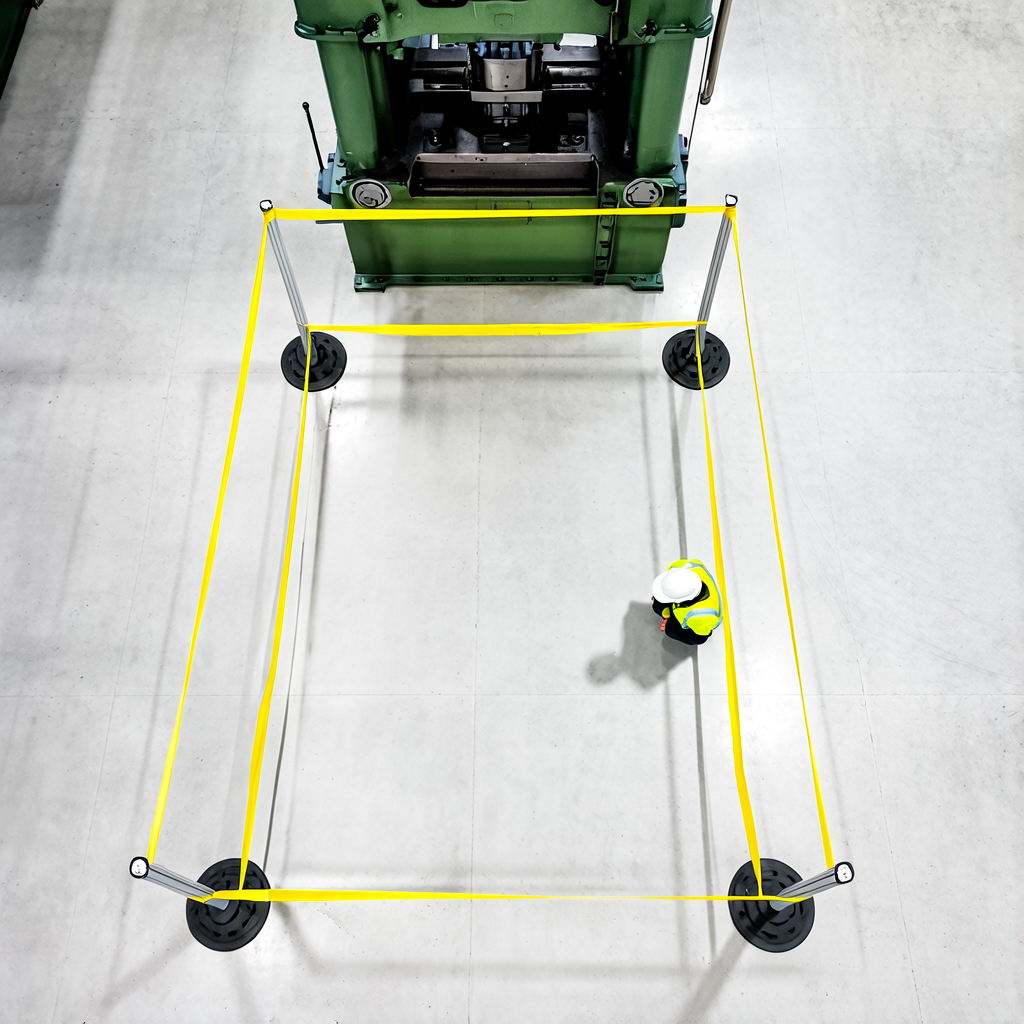
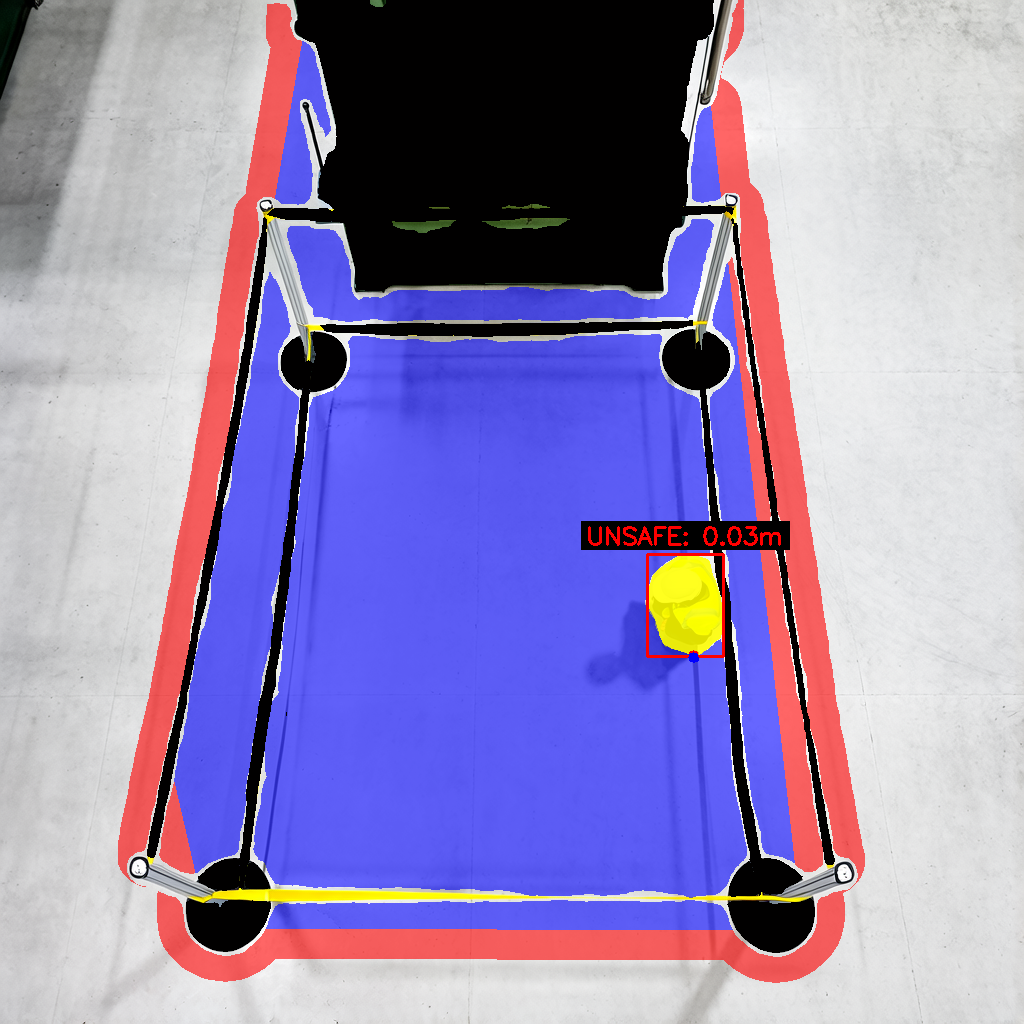
Camera frame of a person standing inside a taped-off floor area Same frame with the distance from the person to the no-go boundary marked
InputDistance
Pipeline 01 · Fixed cameras

Zone proximity

Finds restricted floor areas marked with tape, cones, chains, barriers or painted stripes, fills the enclosed floor as a zone and marks the boundary with a warning ring. Then measures how far each person stands from that boundary, in metres. Uses the camera pose when it can estimate one, or a top-down reading when the view is overhead, and can check those people for the PPE the zone requires.
UploadFloor views with a visible cordon
TimeTens of seconds per image
ReturnsOverlay, distance, required PPE
OptionsHeight, top-down, PPE
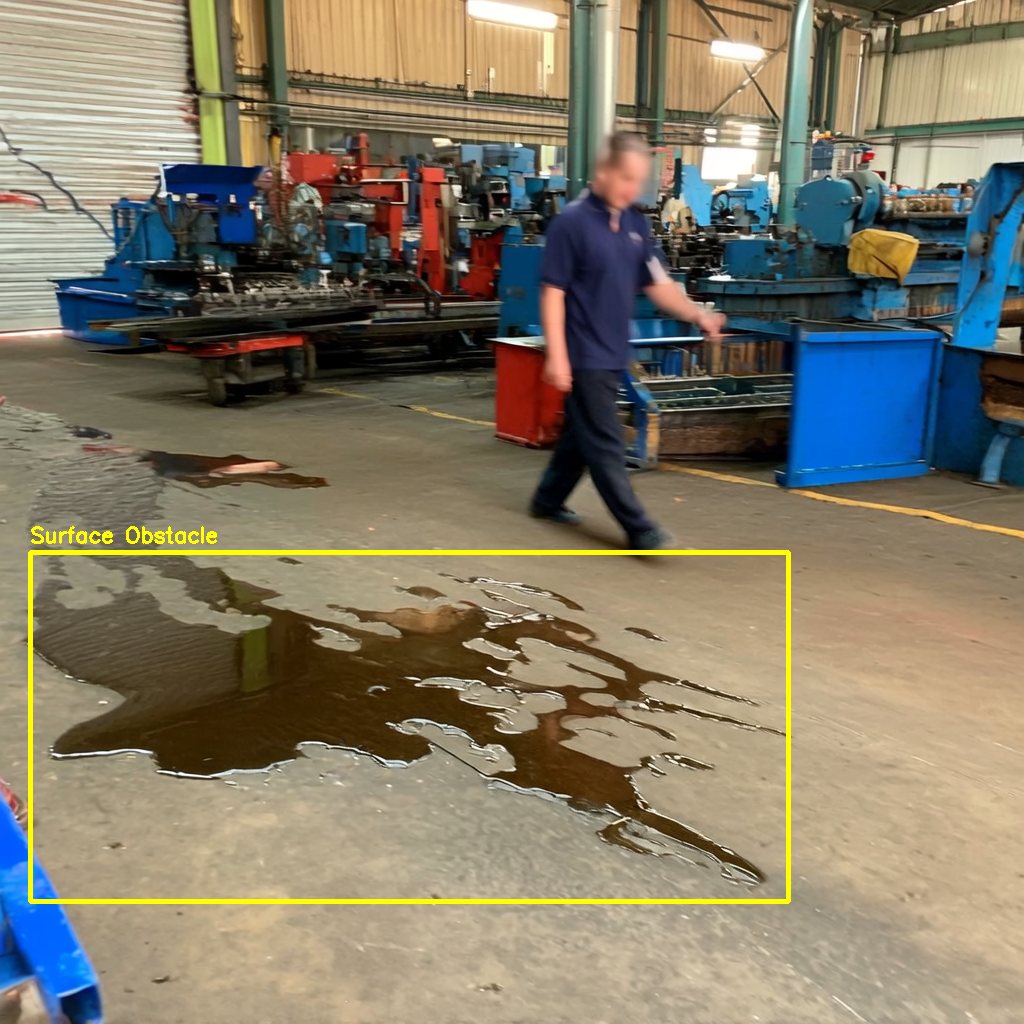
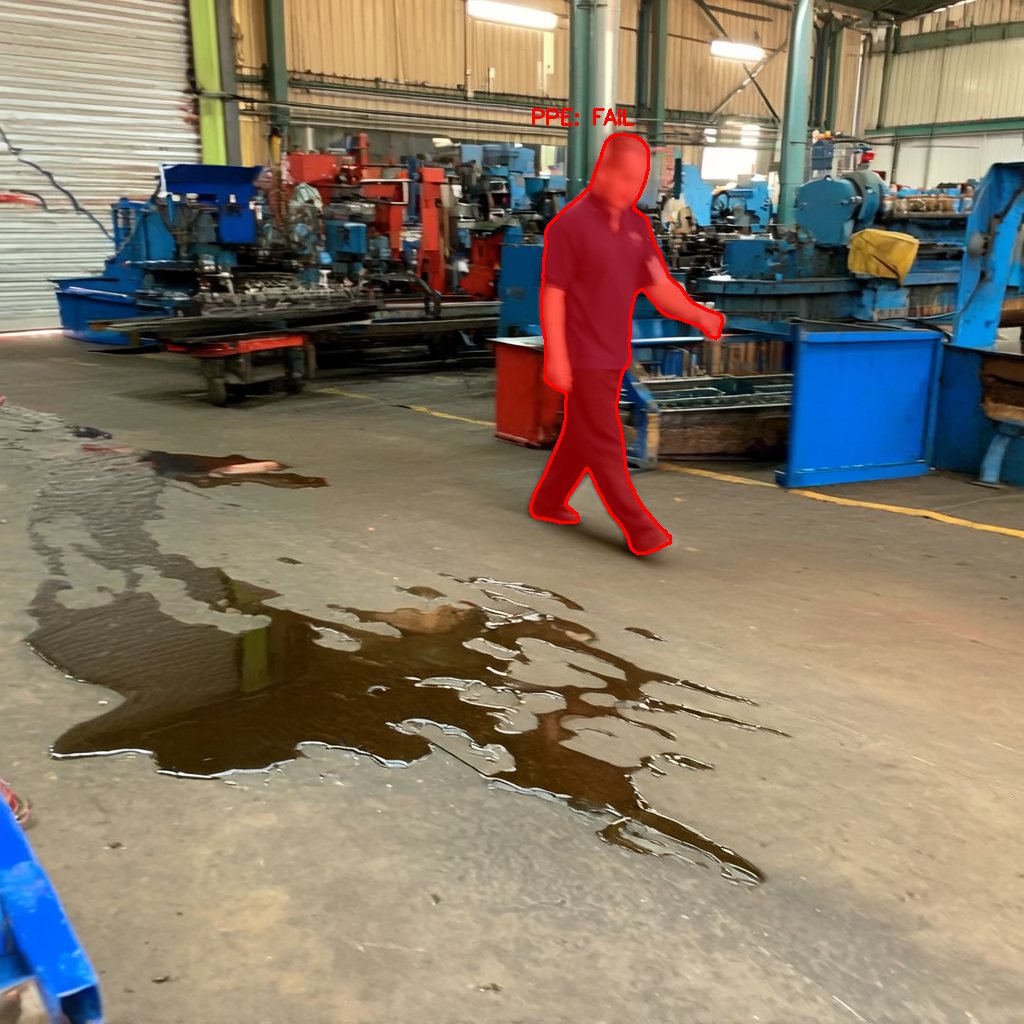
Workshop floor with an oil spill outlined as a hazard Same scene with the worker next to the spill masked and labelled PPE FAIL
Hazard groundedExposure check
Pipeline 02 · Fixed cameras

Hazard and PPE auditing

Catalogues the scene, rates each hazard with a danger probability and a written justification, outlines the ones above threshold, and checks every person nearby for the protective gear that hazard requires.

UploadAny workplace scene, people optional
TimeAbout a minute per image
ReturnsAnnotated image, hazards, people
OptionsPPE check on or off
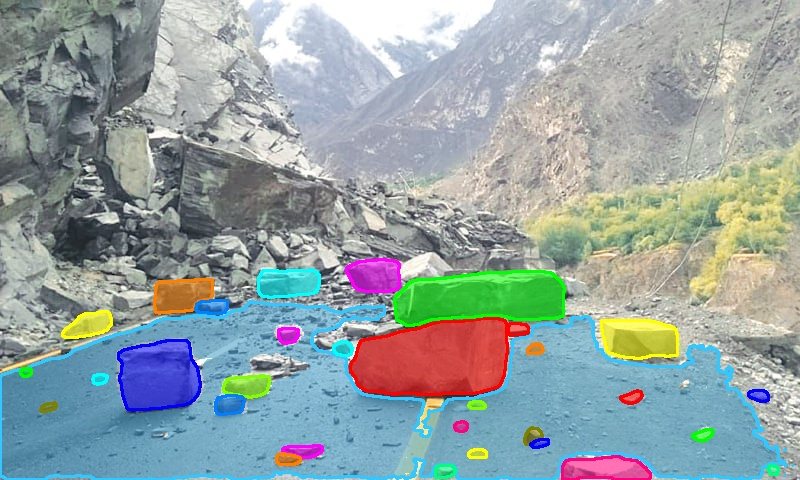
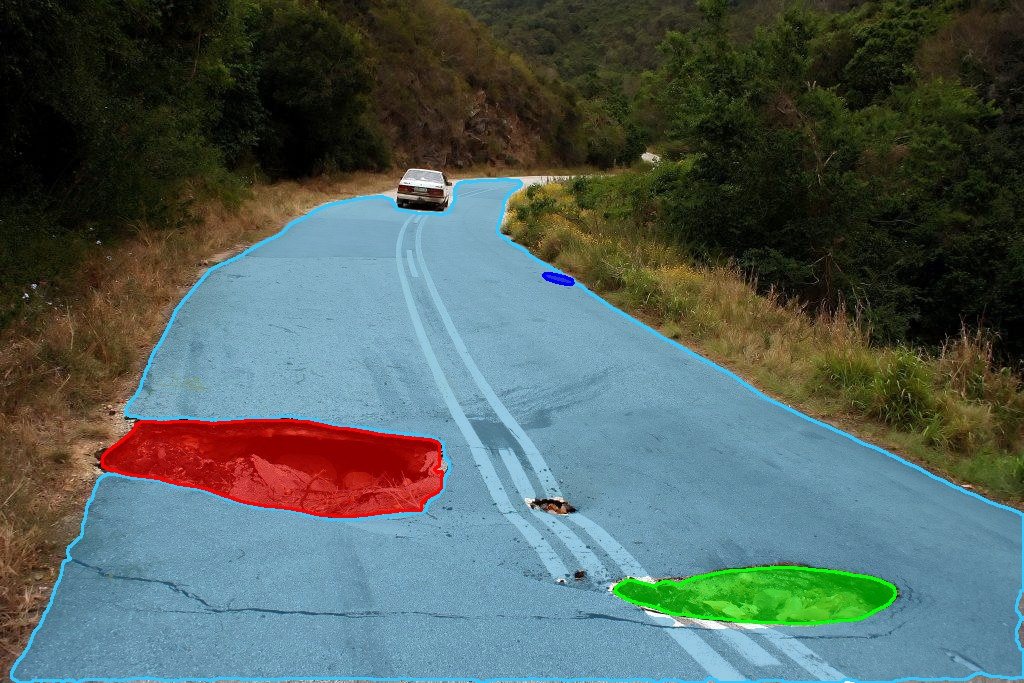
Dashcam frame of a road with fallen rocks masked as obstructions Road with the drivable surface tinted and a pothole masked
RockfallPothole
Pipeline 03 · Moving cameras

Road debris detection

Segments the drivable road, then anything on or beside it that is not a vehicle: debris, rocks, potholes, animals, fallen objects. Works from dashcams and roadside cameras, day or night.

UploadDashcam or roadside frames
TimeA few seconds per image
ReturnsSegmented image, obstacle list
OptionsNone
02 / Workbench

Upload and run.

Pick a pipeline, add an image, run. Each run spends one attempt. Results stay available for six hours.

Choose one of the three pipelines above.
Metres above the floor, from 0 to 15. Default is 5.
Drop an image here or click to choose
jpg · png · bmp · webp · tif · one image per run
Or use a test image
No results yet.Choose a pipeline on the left, enter your access token, add images and run. The annotated image and the reasoning behind it appear here.
Test images
simvera · demo access

Enter your access token.

Use the email you requested with and the access token we sent. It stays in this browser tab only.

No token yet?

Request access.

We review every request by hand and email an access token, usually within one working day. Each email gets a few runs.

Complete the security check below to enter your email.
Already have a token?

Request received.

We will review it and email your access token.